> For the complete documentation index, see [llms.txt](https://docs.bit-rock.io/llms.txt). Markdown versions of documentation pages are available by appending `.md` to page URLs; this page is available as [Markdown](https://docs.bit-rock.io/ecosystem-and-tools/rockswap/multichain.md).
# Multichain
## Rockswap Cross-chain Interoperability
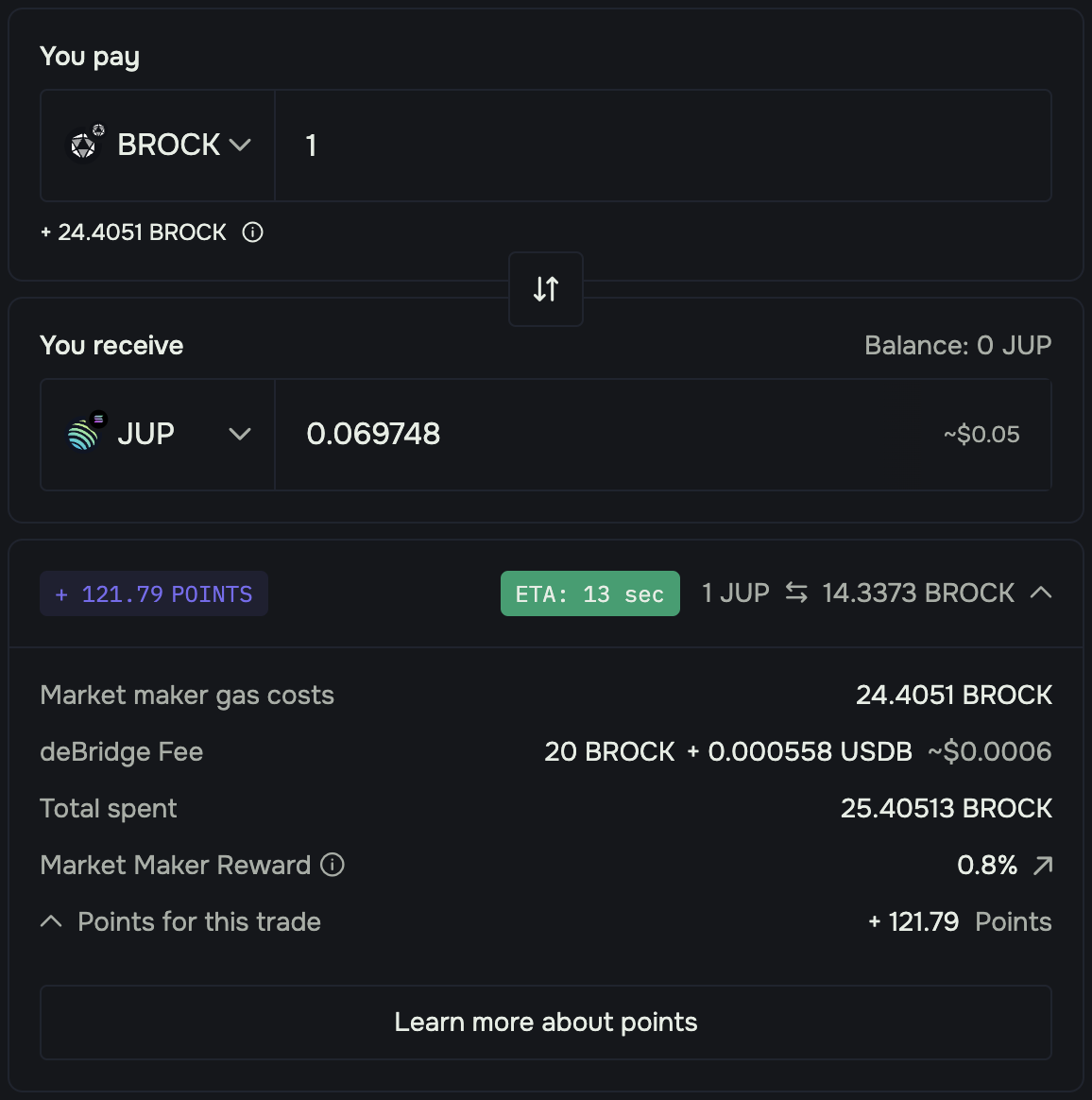
In partnership with deBridge Finance, Rockswap also supports direct cross-chain transactions of assets between 10+ chains including the Bitrock chain, enhancing accessibility and interaction between various ecosystems. This is made possible in part by the deBridge Liquidity Network (DLN) protocol, which is a high-performance cross-chain value transfer infrastructure built by deBridge with a 0-TVL design (no liquidity pools). Learn more about the DLN protocol [here](https://docs.debridge.finance/dln-the-debridge-liquidity-network-protocol/introduction).
Gas fees are equalized and paid in the origin chain's native (gas) token. For example, if the swap is performed from the BROCK chain to another chain, gas fees would be payable in native Bitrock, and are deducted from the user's wallet then deposited into the protocol treasury on the Bitrock chain. Supported chains include Bitrock, ETH, BSC, SOL, Polygon, ARB, OP, and more!
### How to execute a cross-chain swap on Rockswap:
1. Visit [https://www.rock-swap.io/multichain ]()and connect your wallet.
2. Select the desired origin and destination chains.
3. Select a token to swap from on the origin chain, and the token to swap to (receive) on the destination chain.
4. Note the transaction ETA, then execute and confirm the swap in your wallet.
5. Check your wallet and await the receipt of the specified destination asset on the destination chain after the swap is executed.
{% hint style="info" %}
Transaction fees along with all transactions details can be tracked on the deBridge explorer here:
{% endhint %}
You may track analytics for Bitrock chain (or any other supported chain) transactions executed via deBridge, on the deBridge analytics tracker: